THE PLAY-ALONG RECORDER FOR MAC

Hear yourself in the song.

Bring any tab, chart, or video. Play along with the real music. Afinar records you in the song, in sync, through your own tone, and hands you back a recording worth listening to.

NO DAW · NO PLUGINS · NO SOUNDCHECK

macOS 14.4 or newer

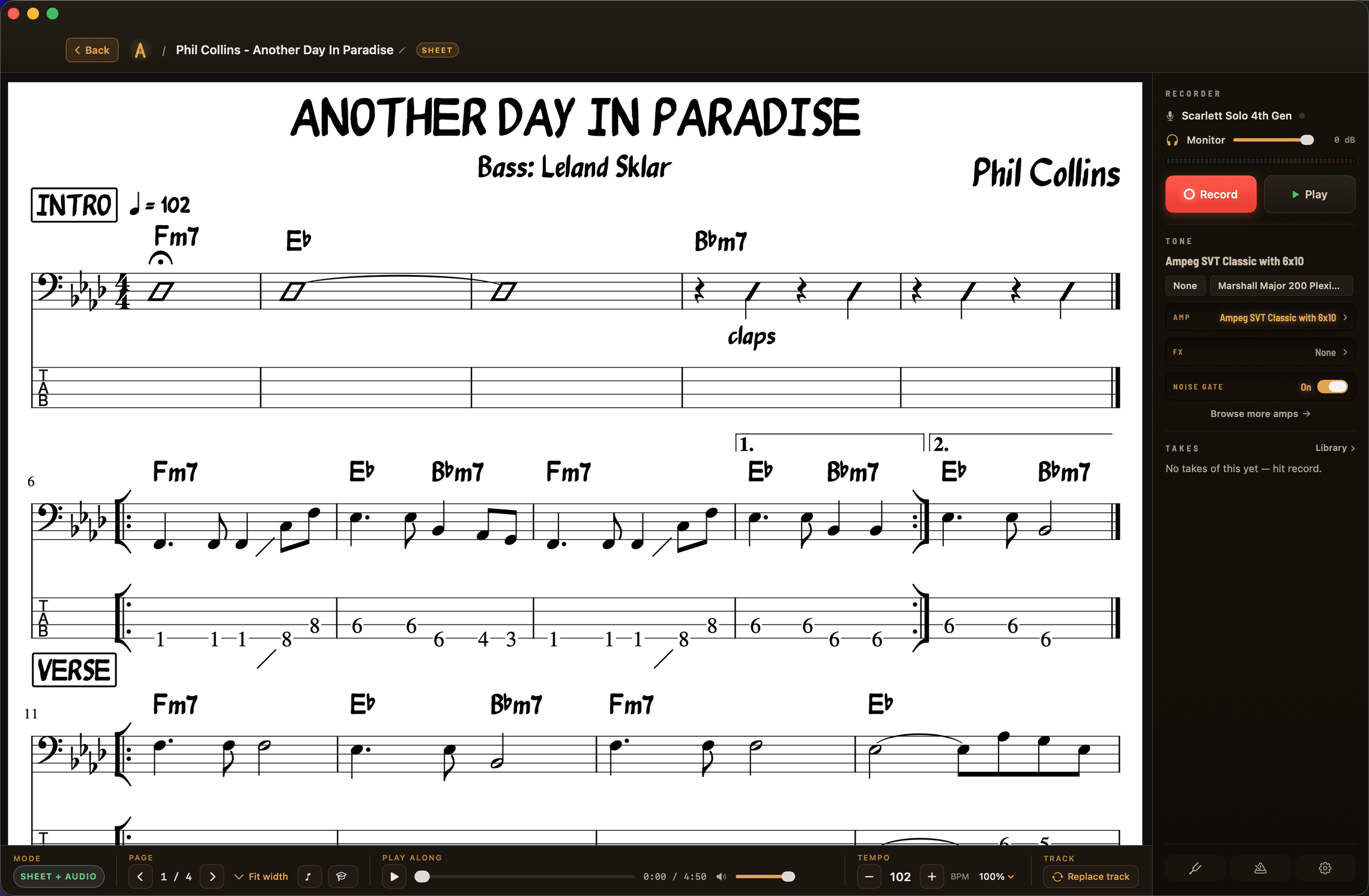
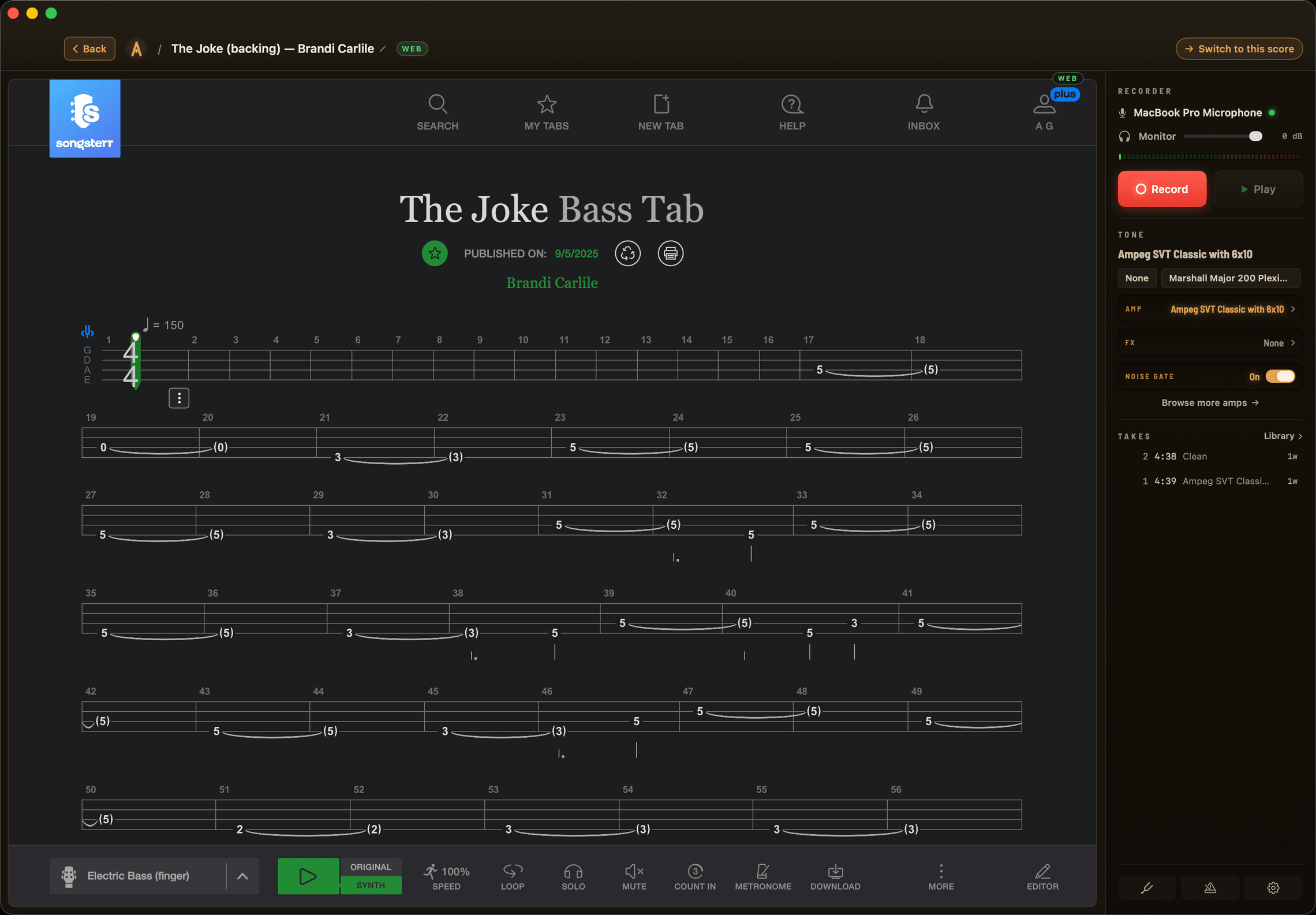
A tab open on the left, the recorder rail on the right — takes filed under the song.
How it works

One window. Two tracks. Your take.

01

It hears the song.

Whatever you play along to — a YouTube video, a Songsterr page, your own audio file — is captured straight from the source, not through a mic. The real song lands in your take exactly as you heard it.

02

It hears you.

Your instrument records on its own track, through the tone you choose. Plug into a USB interface, mic an amp or an acoustic, or start with the Mac’s built-in mic.

03

It lines you up, in time.

The song and your playing are separate tracks, so Afinar syncs them and corrects for audio delay automatically. No test clicks, no setup. The take comes back with you in time — with the record, not a beat behind it.

Every take also keeps a clean copy of your raw signal underneath the tone — so you can change the sound later and the performance is still there.

Why it works

Practice that feels like playing.

Most practice tools hand you a curriculum and a streak to maintain. Afinar hands you the song you actually love — and a recording of tonight’s pass, you in the music, sounding like something worth keeping. That’s the whole trick: when playing along feels this good, you come back tomorrow, and the hours take care of themselves.

The serious tools are all here — slow-down, looping, trim, re-amp, real charts. They just never get between you and the song.

What’s on the stand

Play from anything.

Tab sites.

Ultimate Guitar, Songsterr, and the rest — open right inside Afinar, and your logins work as-is. No importing, no routing: hit record on the page you already practice from, and every take files itself under the song.

Your PDFs.

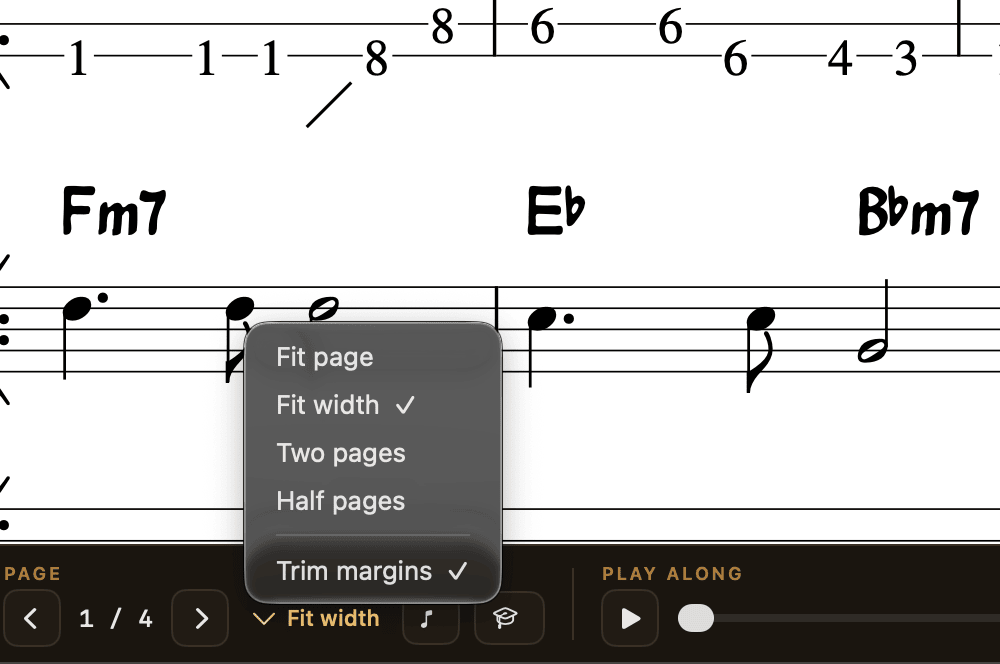
The sheet music you already own becomes a play-along. Load the chart; read it your way — fit page, fit width, two-page, half-page, trimmed margins. Turn pages with a Bluetooth pedal.

Chart + the record.

Attach the actual song — an audio file or a YouTube video — under any chart. The score follows the music while you play, the pages turn themselves, and your takes land under the same chart.

Guitar Pro files.

Drop in a .gp file and it becomes a chart on the stand. Same backing, same recorder, same takes.

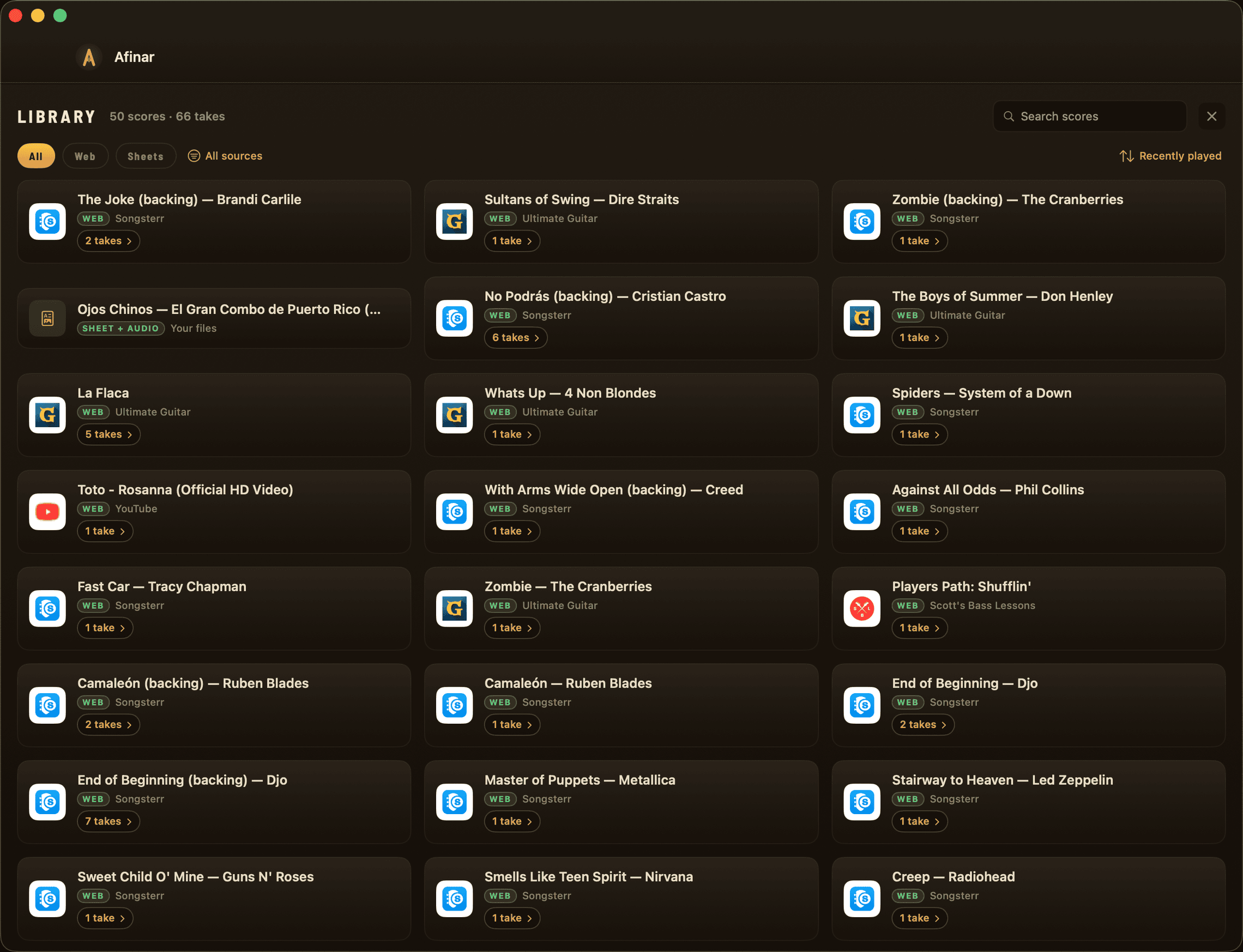
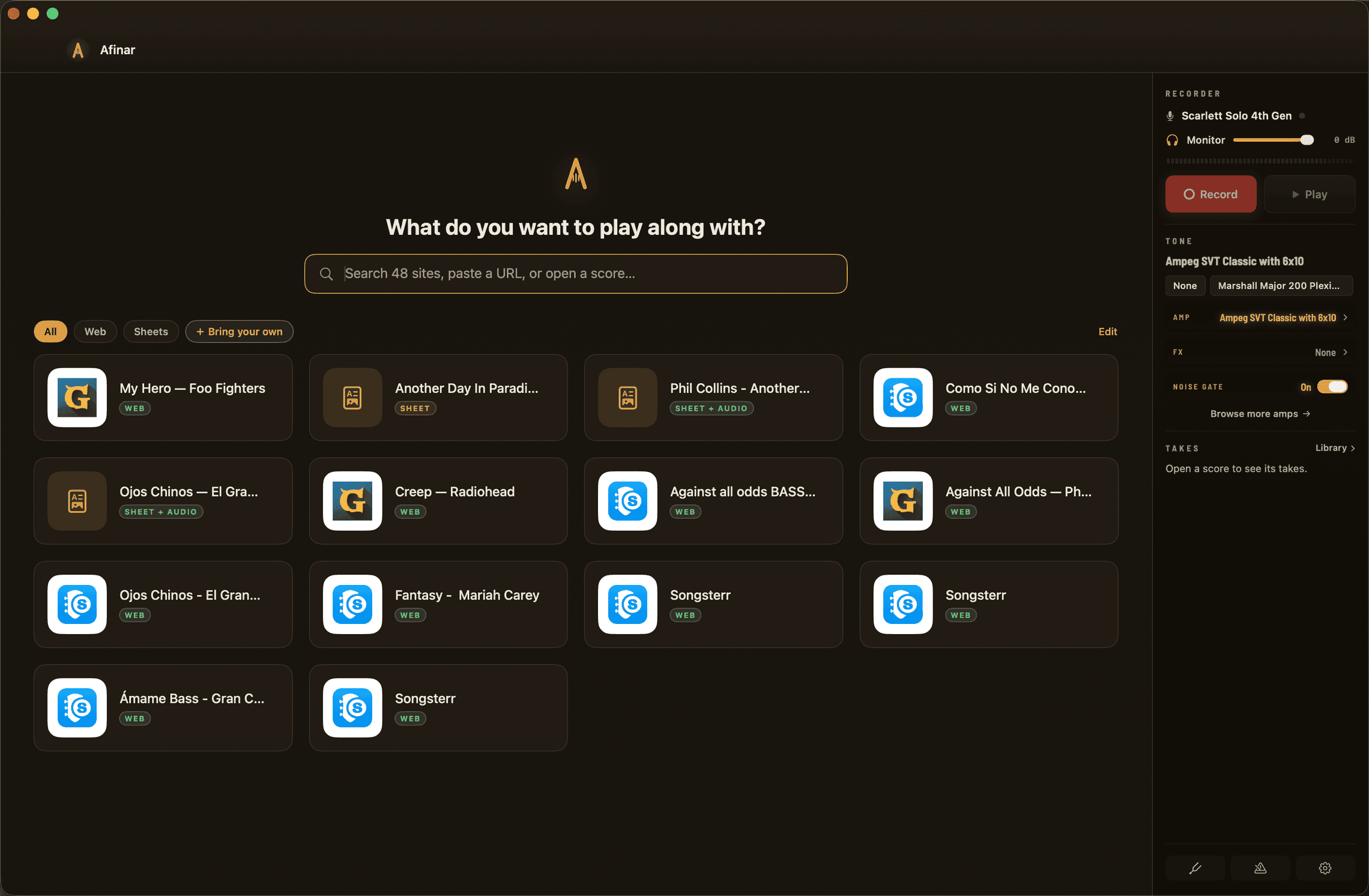
The start page: one search across your sites and saved scores.
A PDF chart with the play-along bar.
Display modes: fit page, fit width, two pages, half pages.
After the take

Hear yourself back.

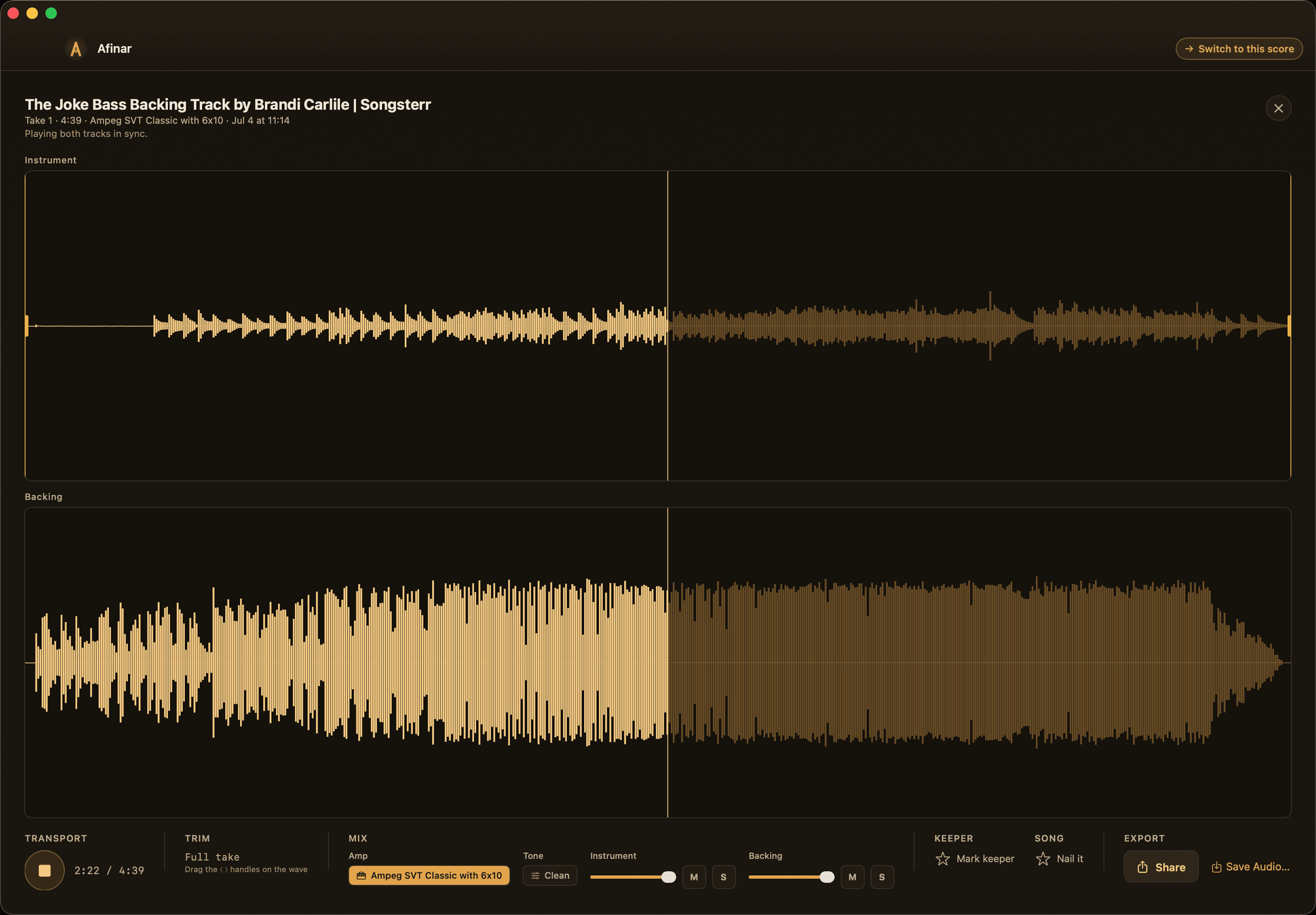
Every take is kept, filed under its song. Play it back full-screen, trim the ends, mix your level against the backing, and star the keeper. Mark a song Nailed when you land it.

Changed your mind about the sound? Swap the amp and effects after the take — your clean signal is always there, so you can try any tone on a performance you already played.

Export a take as audio, or pull your track and the backing out separately.

Listen back: you on one waveform, the band on the other, in sync.
The library: every song with its takes, grouped and dated.
Real tones

Play through real amp tones.

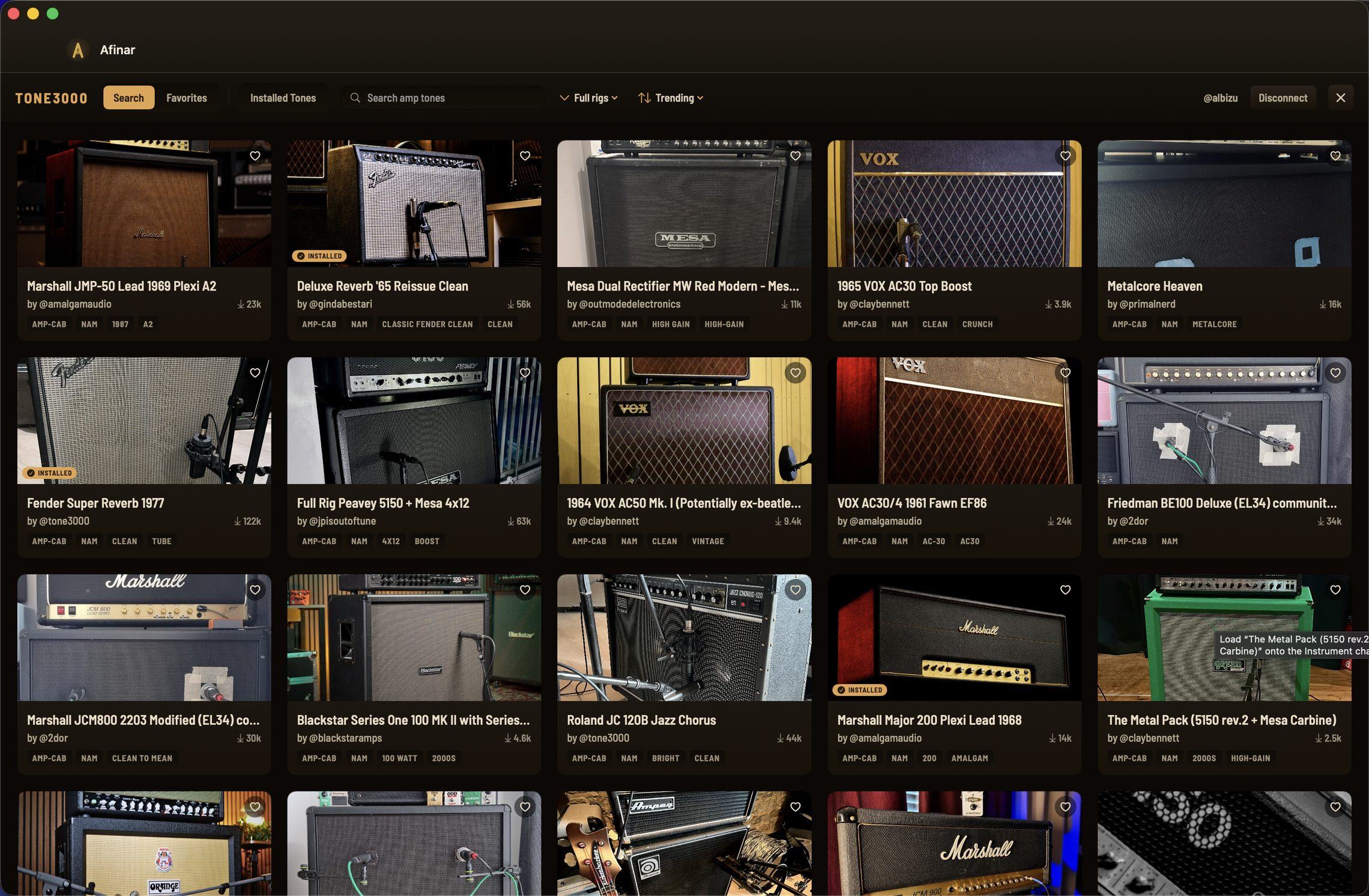
Bring your own Neural Amp Modeler captures, or browse thousands from the Tone3000 library right inside the app — free account, a couple of clicks, no plugin folder. Add reverb, delay, or a noise gate to fit the tune.

Already shaped your sound in hardware? Plug in wet and pick None — your raw signal is kept either way. Every take remembers exactly what you played through.

The Tone3000 library inside Afinar.
Practice tools

The tools live one click away.

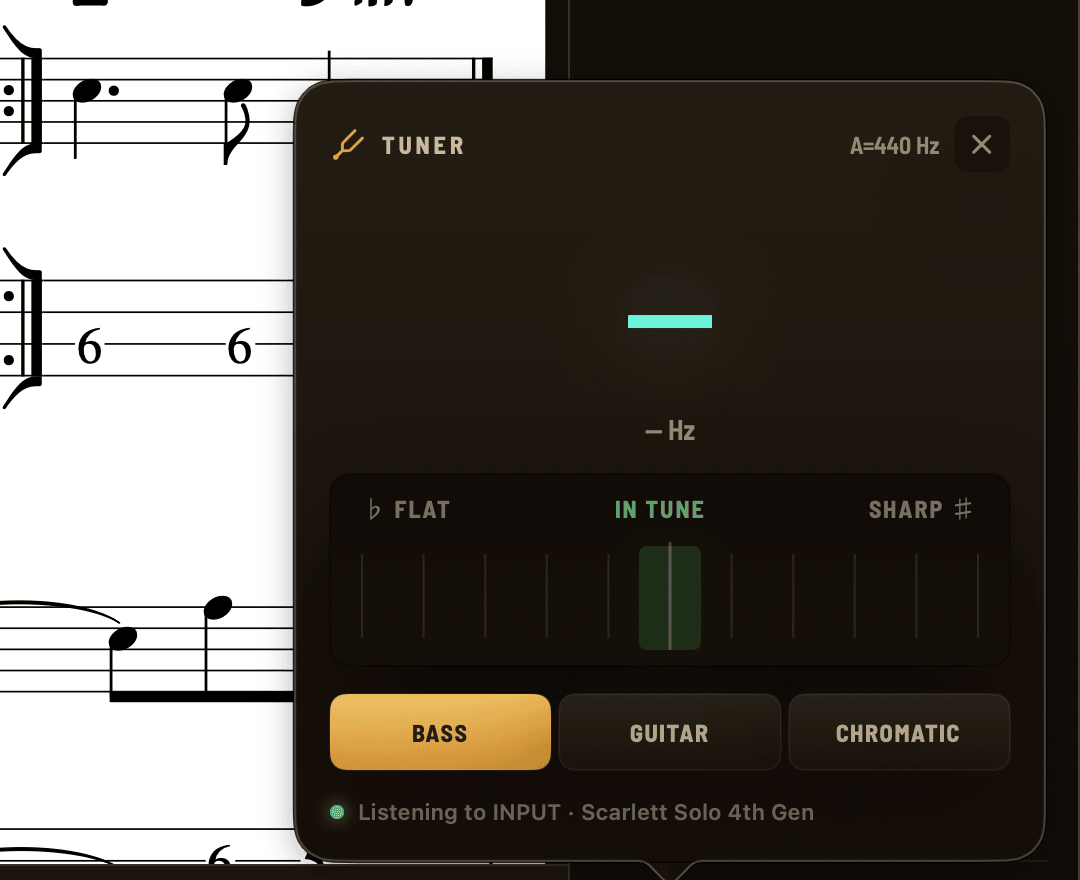
Tuner on the live input.

Pluck a string, watch the needle — bass, guitar, and chromatic modes.

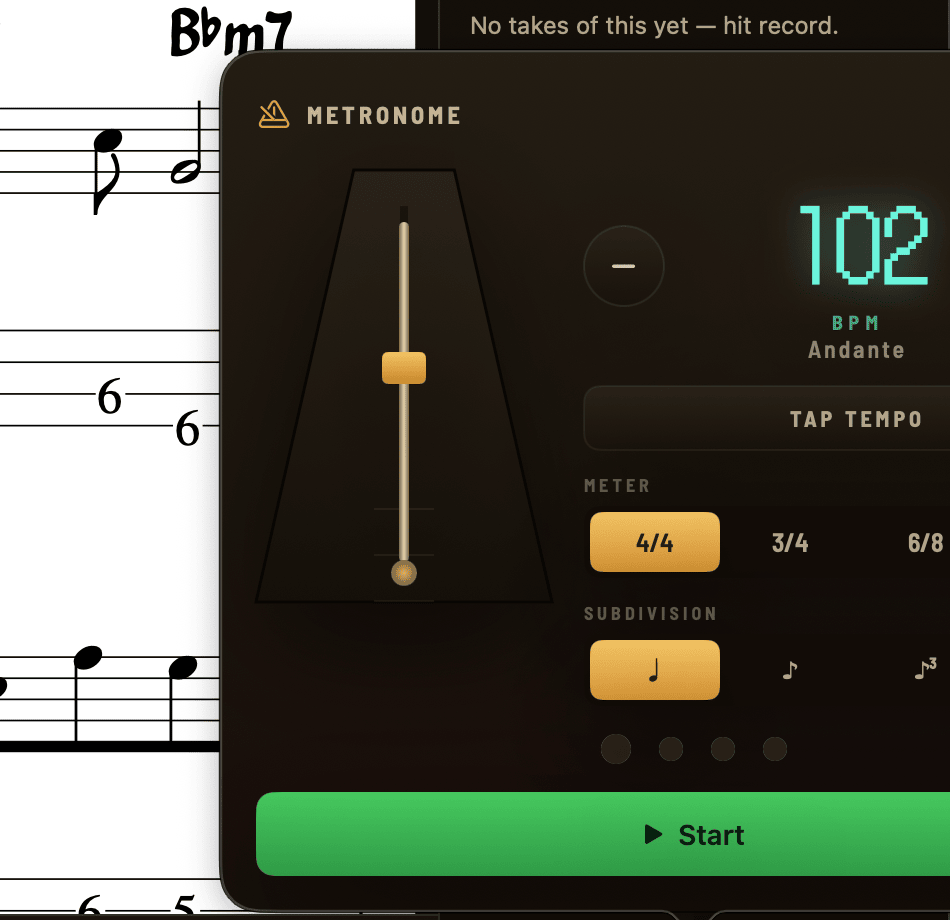
A metronome with manners.

Tap tempo, meters, subdivisions, count-in — and the click is never printed into your take.

Slow down, keep the key.

Practice a play-along slower without the pitch drooping, then work back up. Recording always runs at full speed — a take is always the real thing.

Loop the hard bars.

Set a section of your backing and run it until it’s clean.

TUNER
Tuner on the live input.
METRONOME
Metronome with tap tempo and count-in.

Also on the bill: NOISE GATE · LIVE MONITORING · AUDIO + STEMS EXPORT · KEEPER STARS · COUNT-IN · UNDO · KEYBOARD SHORTCUTS

Who it’s for

Built for the way you actually play.

Plugged in.

Guitar or bass into a USB interface: live amp-tone monitoring in your headphones, silent recording late at night, every take landing on the beat.

BRING: GUITAR OR BASS + USB INTERFACE

Unplugged.

Mic your acoustic or sing through the interface — or start with nothing but the Mac’s built-in mic. The song still arrives clean from the source, so you’re next to it, not buried under it.

BRING: A MAC. THAT’S IT.

The learner.

Grinding tabs every night? Now every night leaves takes — dated, grouped by song — and improvement is something you can play back, not guess at.

BRING: THE SONG YOU’RE OBSESSED WITH

The reader.

Lesson PDFs, Real Book pages, worship sets, horn parts. Load the chart, add the audio, and the pages turn themselves while it records you.

BRING: THE FOLDER OF PDFS YOU ALREADY HAVE
Straight answers

Fair questions.

What do I need to start?

A Mac on macOS 14.4 or newer. A USB audio interface (Scarlett-class) is the sweet spot — it unlocks live tone monitoring in your headphones. No interface yet? The built-in mic records real takes too; it’s a fine way to try the whole loop before buying gear.

Where do my recordings live?

On your Mac, in a folder you can open from Settings. There is no Afinar account, no cloud, no upload. Nothing leaves your machine unless you export it yourself.

Does it download the songs?

No. Afinar records your performance — the backing exists only inside a take of you playing along, like taping yourself practicing over the radio. It’s for you: hearing yourself, tracking progress, sharing a take with your teacher or the band chat.

What does “Synced” mean?

A Synced score turns its own pages in time with the music — bar for bar, repeats included. Play the song through once and Afinar learns where the beats land, right on your Mac. If a score needs a hand, open the sync room and click the downbeats as they sound — tap along once and it’s taught. A Guitar Pro file arrives already synced, so if your song exists as one, that’s the fastest path.

Do my site logins work?

Yes. Sign in to Songsterr, Ultimate Guitar, or YouTube inside Afinar’s built-in browser and they work like they do in Safari.
The practice you’ll actually do.

The fastest way from loving a song to playing it well.

macOS 14.4 or newer